Updating and backups
SlotDesk has no update button. A release is a folder of files you put over the old ones, and everything that makes the install yours lives in three places those files must not touch.
Read the first section before you download anything. The rest is a checklist.
The three things that are yours
| What | Where | Holds |
|---|---|---|
| The database | MySQL | Every booking, customer, conversation, template and setting |
.env |
The project root | APP_KEY, database credentials, mail, the app URL |
storage/ |
The project root | The install lock file, invoice PDFs, uploaded service images, logs |
⚠️ APP_KEY is the one that bites. WhatsApp access tokens, app secrets and AI provider keys are
stored encrypted with that key, and SlotDesk is deliberately forgiving when it cannot decrypt
one: the value reads as empty rather than raising an error. Restore a database next to a different
.env and the panel shows blank credentials, no error appears anywhere, and nothing sends. A
database backup without the matching .env is not a backup.
⚠️ storage/installed is the file that says the install is finished. If it goes missing, every
request redirects to the install wizard, and the wizard's own guard checks that same file, so it will
run against your live database. If .env is missing as well, the wizard generates a new
APP_KEY on the way past, which is the paragraph above happening to you. Never deploy a fresh empty
storage/.
Backing up
Three commands and one copy, taken at the same moment.
mysqldump -u USER -p DATABASE > slotdesk-YYYY-MM-DD.sql
cp /path/to/slotdesk/.env slotdesk-env-YYYY-MM-DD.txt
tar -czf slotdesk-storage-YYYY-MM-DD.tar.gz -C /path/to/slotdesk storage
Keep the three together and off the server. Taken hours apart they will not restore cleanly: an appointment in the database can point at an invoice PDF that the storage archive predates.
A backup is only real once you have restored it. Restore into a scratch database and open the panel before you need it to work.
Updating, in order
- Close the site.
php artisan downfrom the project root. This is the real one: the maintenance toggle in Platform settings only closes the public booking page and leaves the panels and WhatsApp running. See The admin panel. - Back up, as above. Every time, including the update you are sure about.
- Replace the files. Upload the new release over the old folder, keeping
.env,storage/and thepublic/storagesymlink. If the release contains avendor/folder, its dependencies come with it and Composer is not part of an update. - Run the migrations.
php artisan migrate --force. The--forceis because the command refuses to run unattended in production without it, not because anything is being overridden. - Clear the caches.
php artisan optimize:clear. Config, route and view caches hold the old build, and a stale config cache is the usual reason an update "changed nothing". - Relink storage if images have gone.
php artisan storage:linkrecreatespublic/storage. Uploaded service images are served through it, so they 404 without it. Some shared hosts block symlinks; if yours does, the host's file manager can usually make one. - Restart the queue worker.
php artisan queue:restart. Do not skip this. A running worker holds the old code in memory and will keep running it against the new database until it is told to stop. - Open the site.
php artisan up. - Check two screens.
/admin→ Settings for the version, and/admin→ System health for cron, queue, storage and extensions.
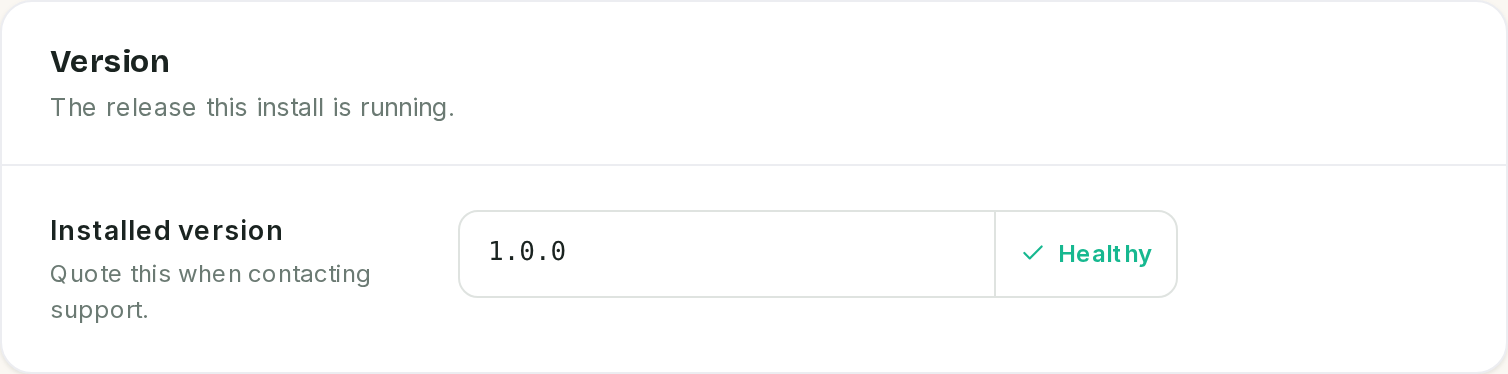 Quote this number when you contact support.
⚠️ The version card compares the files against a number written once. The database's copy is set by a settings migration when the install is first built, and nothing updates it afterwards. Unless a release ships a migration that bumps it, this card can read Mismatch after a perfectly good update, or Healthy after one whose migrations never finished. Treat it as a prompt to check that step 4 ran, not as proof that it did.
What an update does not do for you
- It does not merge
.env. New features arrive as new keys, and your.envis not touched. Compare it against the release's.env.exampleafter every update and copy across anything new. - It does not touch cron or the worker. Both are server configuration, so they survive the update, which is exactly why the worker is still running last month's code until step 7.
- It does not migrate your WhatsApp or Stripe setup. Those live in the database and are untouched,
as long as
APP_KEYis.
Rolling back
Put the files back and restore the database, from the same moment. Migrations only run forwards: a database that has been migrated to a newer release will not work against the older files, and no amount of re-uploading will undo a schema change.
That is the whole reason step 2 exists, and the reason to take the backup even when the update is small.
If something went wrong
The site now redirects to the install wizard.
storage/installed is missing. Restore it, or recreate it from your storage backup. Do not click
through the wizard.
The wizard says "SlotDesk is already installed" and 403s. The opposite, and it is the safe state. The lock file is there.
A 500 error on every page after the update.
Migrations, then caches. Run php artisan migrate --force and php artisan optimize:clear and read
storage/logs/laravel.log.
The panel shows an empty WhatsApp token, and nothing sends.
The APP_KEY in .env is not the one those values were encrypted with. Restore the original .env.
Re-entering the credentials also works, and means re-entering every one of them.
Service images are broken but nothing else is.
public/storage did not survive. Run php artisan storage:link.
Reminders stopped after the update. The queue worker was not restarted. It is still running the old code.
The update seems to have changed nothing.
A cached config or view. php artisan optimize:clear.
Version says Mismatch. Check the migrations ran. If they did, the number in the database is stale rather than the install being broken.
Previous: Troubleshooting