Locations, categories and services
The catalog is the list of things a customer can book. The receptionist reads it before it quotes a price, and the availability engine reads it before it offers a time.
If the installer's business setup ran, you already have a starter menu: four or five services priced for your business type, and every staff member able to perform all of them. Most of this chapter is correcting that menu rather than building one.
Three screens, and an order that saves rework
All three live under Catalog in the sidebar, and all three need Admin or Owner. A Staff account cannot see them.
| Screen | What it holds | Required |
|---|---|---|
| Locations | Branches, with an address and a phone number | No |
| Service categories | Grouping for the service list | No |
| Services | Duration, price, deposit and buffers | Yes |
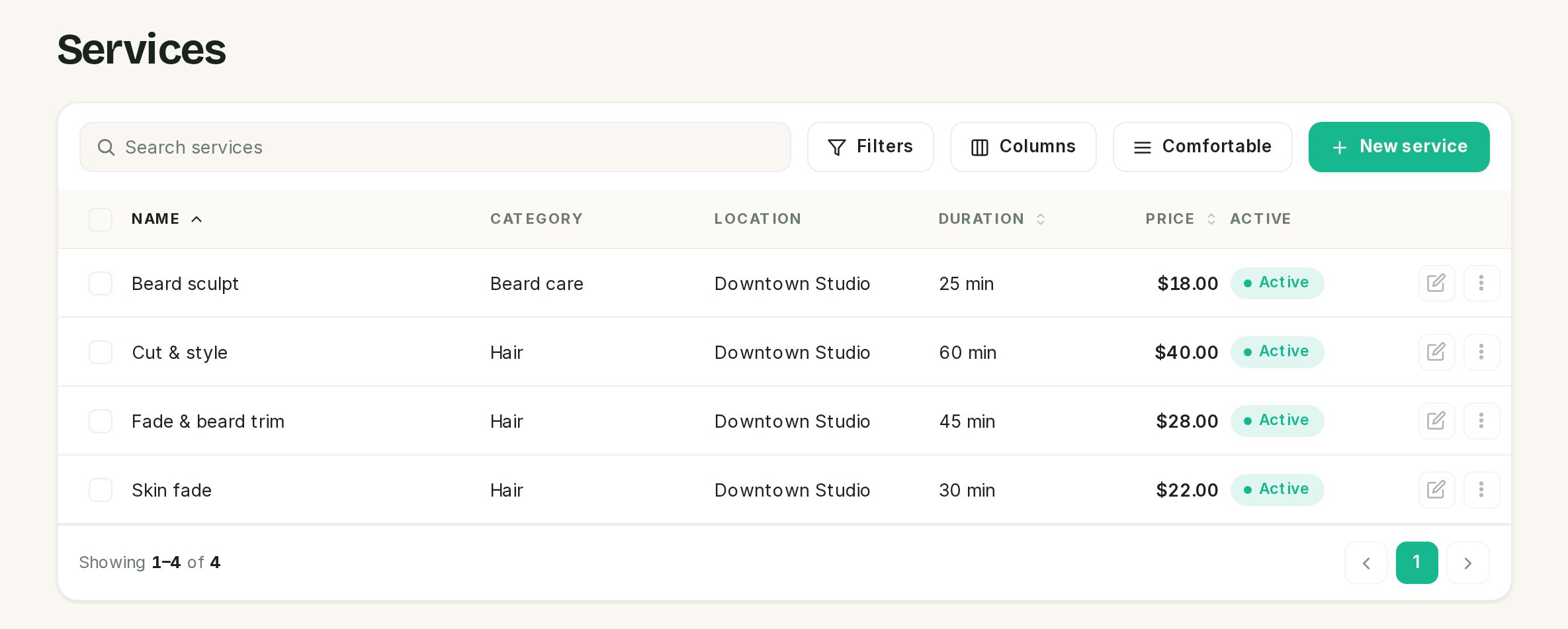 The services list. Category and location are columns, so a catalog that skips them reads as a wall
of blanks.
The services list. Category and location are columns, so a catalog that skips them reads as a wall
of blanks.
Work down that list. A service can point at a location and a category, so creating those first means you pick them from a menu instead of coming back to edit twenty services.
Locations name a branch, they do not split your diary
Add one under Catalog → Locations.
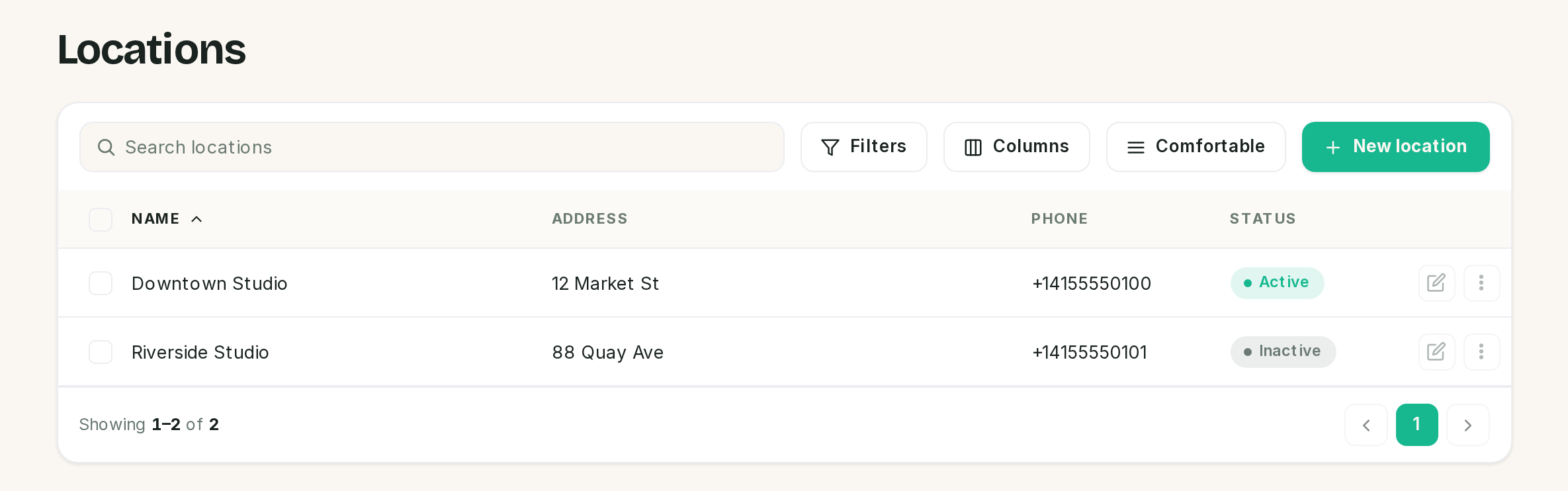 Inactive is a status, not a deletion. The branch keeps its services and its history.
Four fields:
| Field | Notes |
|---|---|
| Name | Required. What customers will hear, so "Camden" beats "Branch 2" |
| Address | Optional |
| Phone | Optional |
| Active | Inactive locations stay on their existing services |
Be clear about what a location does in this release, because the word promises more than the feature delivers:
- It is carried onto every appointment booked for that service, and it fills the
{{location}}placeholder in notification templates. - It is not part of availability. Working hours belong to the business and to staff members, not to branches, and nothing checks which branch a staff member works at.
So two branches with different opening hours cannot be expressed here. One set of hours governs the whole business. If your branches genuinely open at different times, run them as two businesses on the one install rather than two locations.
Deleting a location does not delete its services. They keep every other setting and lose the branch.
Categories order the list, nothing more
Catalog → Service categories takes a name and an Order number, and the list sorts by that number ascending. Equal numbers fall back to whatever the database returns, so number them 10, 20, 30 rather than 1, 1, 1 and leave room to insert.
The category name is passed to the receptionist with each service, which is why "Colour" and "Treatments" are worth setting up even on a short menu. It gives the model a way to answer "what colour services do you do" without listing everything.
Deleting a category leaves its services uncategorised rather than deleting them.
A service is a duration, a price and a footprint
Catalog → Services → New service. The form is four blocks.
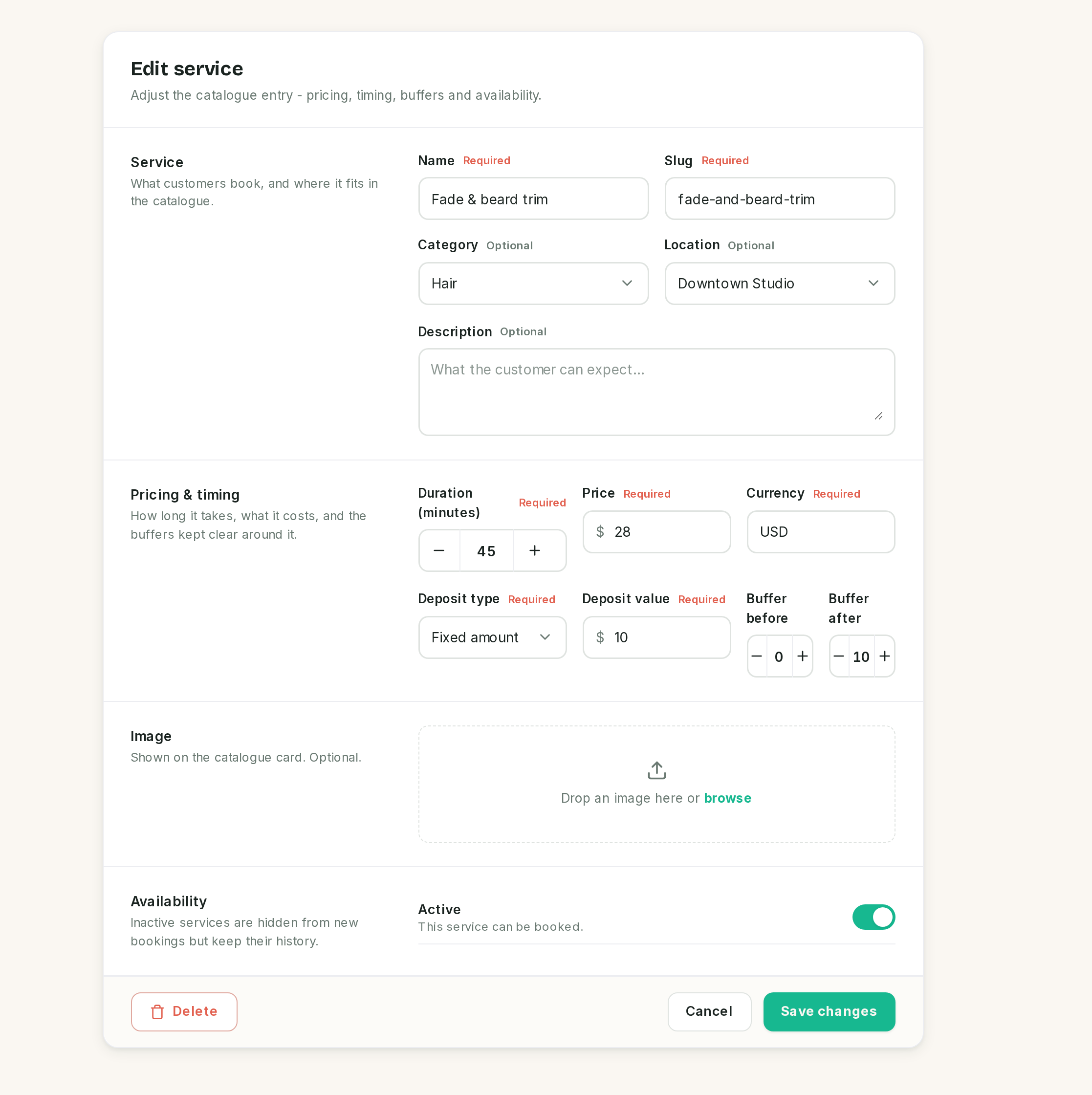 Everything that decides how a service is sold sits in the second block.
Service
| Field | Notes |
|---|---|
| Name | What the customer asks for, and what the receptionist quotes |
| Slug | Required, unique within the business, and not filled in for you. Type a lowercase, hyphenated version of the name |
| Category | Optional. Blank means uncategorised |
| Location | Optional. Blank means any location |
| Description | Optional, and for your own catalogue card only |
The description is not given to the receptionist. Neither is the image. If a fact matters to the answer the AI gives, it belongs in the knowledge base, not here. See Guardrails and the knowledge base.
Pricing and timing
| Field | Notes |
|---|---|
| Duration (minutes) | Minimum 1. This is the length the customer sees on their booking |
| Price | In major units, so 45 means 45.00. Stored in minor units |
| Currency | Per service, and it defaults to USD on every new service, not to your business currency |
| Deposit type | None, fixed amount, or percentage of price |
| Deposit value | The amount, or the percentage. See the warning below |
| Buffer before | Minutes kept clear ahead of the appointment |
| Buffer after | Minutes kept clear after it |
Check the currency on every service you create. The field is prefilled with USD regardless of the currency you chose during setup, and a service in the wrong currency will quote and charge in that currency.
Buffers are clearance, not extra appointment
A 45 minute cut booked at 10:00, with a 10 minute buffer after and none before:
| Time | |
|---|---|
| The customer is told | 10:00 to 10:45 |
| The diary is held | 10:00 to 10:55 |
| The next booking can start | 10:55 |
The appointment is still 45 minutes. The buffer is held either side of it, and a buffer before holds the diary from before the start time in the same way.
Every availability check uses the held figure, not the appointment: offering a slot, placing a hold, creating the booking, and moving one. Two appointments cannot overlap each other's buffers for the same staff member.
Use them for changeover, cleaning, or notes between clients. Do not use them to pad a duration you have guessed low, because the customer is told the shorter number.
Deposits
A deposit here is what makes SlotDesk ask for money. A booking on a service with a deposit is created as deposit pending rather than confirmed, and a payment link follows.
| Type | Value means |
|---|---|
| None | No deposit. The booking confirms straight away |
| Fixed amount | A cash amount, in the same units as the price |
| Percentage of price | A share of the price |
The value is prefilled from the business default set on Payment settings, and every service can override it.
⚠️ Use fixed amounts in this release. The Deposit value field always reads its input as money,
including when the type is percentage, so a percentage entered as 20 is stored as 2000 and lands as
a 100 percent deposit once it is clamped. Any percentage of 1 or more charges the full price. A fixed
amount is unaffected and behaves exactly as described.
Availability
The Active toggle. Inactive services keep their history and their existing appointments, and are hidden from anything new: they are not offered by the receptionist, and not bookable on the public page.
Deactivate rather than delete when you stop selling something. Once a service has been booked even once, the database refuses to delete it, because the appointments point at it. Inactive is the state you actually want anyway.
A service nobody performs cannot be booked
This is the most common reason a correctly priced, active service never appears.
Availability starts from the staff who perform a service. With nobody assigned, there are no candidates, so there are no slots, and the receptionist truthfully reports that nothing is available. It does not warn you, and the service list does not show a staff count.
The assignment is made on the staff record, not on the service. Open Team → Staff, edit each person, and set Services offered. The next chapter covers that screen; the point to carry out of this one is that finishing a service does not finish it.
After adding any service, assign it to at least one active staff member before you consider it live.
What the receptionist can see
When a customer asks what you offer, the receptionist calls get_services and gets back, for
active services only:
name · category · duration · price · currency · whether a deposit is required · the deposit
Nothing else. No description, no image, no buffers, no slug. The buffers are still enforced, they are just not something the model is told about or can explain.
The model can only mention a deposit it can see, so a service with the deposit left at None will be quoted as needing nothing up front.
If something went wrong
A service never comes up as available. It has no staff assigned, or every staff member assigned to it is inactive. Check Team → Staff first, before booking rules or working hours.
Saving a new service fails on the slug. Slugs are unique within a business and are not generated for you. Two services called "Consultation" in different categories still need different slugs.
The price is right and the currency is wrong. New services default to USD. Fix the currency on the service; the business currency does not override it.
A deposit is charging the whole price. The type is percentage. Switch to a fixed amount, as above.
A service is bookable back to back with no gap. Buffers are zero by default, including on the starter menu the installer seeded.
Customers are offered a service you stopped selling. It is still active. Inactive is the correct state, and it keeps the history that deleting would destroy.
The receptionist gets a detail about a service wrong. It has never read the description. Put the fact in the knowledge base.
Previous: Payments Next: Staff and team members, and the assignment that makes this catalog bookable.